Buyer's Guide
Digital Menu Management System: Features to Look For
For a brewery, taproom, or bar, the features that matter most in a digital menu management system are: native TV apps, a deep pre-populated beer catalog, real-time updates, per-screen layouts, scheduling, brand control, a QR phone menu and website embed, dietary tags, and transparent no-contract pricing.
Below is each one, why it matters once the menu is live in a real venue, not just in a demo, and how BrewerBoard handles it.
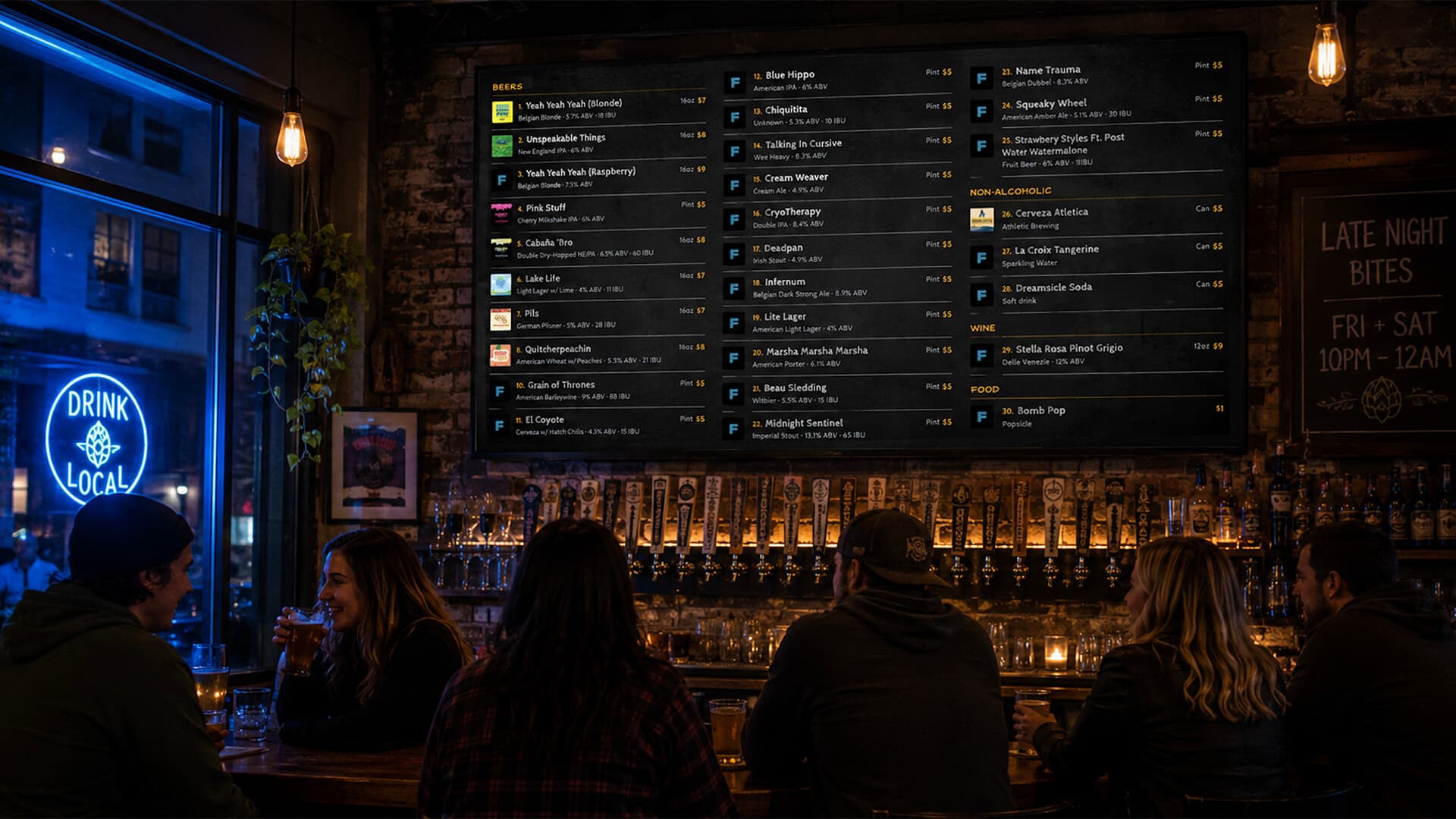
1. Native TV apps (not browser-only)
Your TV outlives your software. A system with native apps for Fire TV and Android TV / Google TV launches in seconds, survives Wi-Fi blips, and needs no streaming stick on a smart TV. Browser-only tools force a separate device on every screen.
In BrewerBoard: BrewerBoard ships native apps for Fire TV and Android TV / Google TV, plus a web display for everything else.
2. A deep, pre-populated beer catalog
Typing every beer's name, style, ABV, IBU, and label art by hand turns setup into hours. A catalog sourced from the federal TTB label registry covers virtually every US-distributed beer with artwork attached.
In BrewerBoard: BrewerBoard pre-loads 139,000+ TTB-sourced beers with label art and ABV, so adding a beer is usually a one-tap "found it."
3. Real-time updates without touching the TV
When a keg kicks at 9pm on a Friday, a bartender should mark it empty from a phone and have every screen change within seconds, no manual refresh, no stale menu at the worst moment.
In BrewerBoard: Edits from any phone or tablet push to every TV in real time.
4. Per-screen layouts for multi-TV venues
Your bar, patio, and dining room have different sight lines and audiences. The system should show different content on different TVs from one account.
In BrewerBoard: Each screen has its own layout, column count, and content from a single dashboard.
5. Scheduling (day / time rules)
Happy-hour pricing, brunch menus, and event nights should switch themselves. Look for scheduled menus so staff aren't swapping screens manually.
In BrewerBoard: Scheduled displays switch menus automatically on day-and-time rules.
6. Brand control (fonts, colors, slideshow)
Generic templates scream "I bought signage software." The system should let you upload your own brand fonts, set colors, and rotate photography or event flyers alongside the tap list.
In BrewerBoard: Operator-uploadable custom fonts, full color control, a slideshow image column, and a scrolling footer ticker.
7. A customer phone menu (QR) + website embed
Customers increasingly scan a QR code to read the menu on their phone, and your website should show the live menu too. Both should stay in sync with the TV automatically.
In BrewerBoard: A QR phone menu and an embeddable website widget, both synced live with the TV display.
8. Dietary tags and clear item metadata
Gluten-free, vegan, and non-alcoholic call-outs matter to more guests every year. The system should surface them cleanly rather than burying them in a description.
In BrewerBoard: Built-in dietary tags (gluten-free, vegan, non-alcoholic) plus ABV, IBU, style, and price.
9. Transparent, no-contract pricing
Watch for annual lock-in and per-screen fees, which inflate the real cost fast. Month-to-month pricing with unlimited TVs and a no-card trial lets you prove it works before committing.
In BrewerBoard: No contract, billed monthly, cancel anytime, unlimited TVs (never per-screen), 7-day free trial with no credit card.
Frequently Asked Questions
What features should I look for in a digital menu management system for my brewery?
Prioritize: (1) native TV apps so you do not need a streaming stick on every screen; (2) a deep, pre-populated beer catalog with label art and ABV; (3) real-time updates so a keg marked empty on a phone changes every TV instantly; (4) per-screen layouts for multi-TV venues; (5) scheduling for happy hour and events; (6) brand control (custom fonts, colors, slideshow); (7) a customer-facing QR phone menu and a website embed; (8) dietary tags and clear item metadata; and (9) transparent, no-contract pricing with unlimited TVs. BrewerBoard covers all nine today.
Do I need native TV apps, or is a browser display enough?
A browser display works, but native TV apps (Fire TV, Android TV / Google TV) are more reliable: they launch faster, recover from Wi-Fi drops better, and avoid buying and maintaining a streaming stick on every TV. If your venue already has smart TVs, native apps remove a whole class of setup and support headaches.
Why does the beer catalog matter so much?
Because it is the difference between minutes and hours of setup. A system sourced from the TTB federal label registry can auto-fill a beer's name, style, ABV, and label artwork from a single search. Without one, staff type every field by hand for every beer, every time a tap changes.
What features are easy to overlook but matter after the first month?
Real-time updates (so menus are never stale when a keg kicks), per-screen layouts (so each TV shows the right content), and no-contract pricing (so you are not locked in if your needs change). These rarely sell the demo but determine whether staff actually keep the system current.
Can I see a digital beer menu running before signing up?
Yes. Visit brewerboard.com/display/000000 to see a live BrewerBoard tap list with multi-column layout, slideshow, footer ticker, dietary tags, and custom fonts, no account required.
See It Running Live
Every feature above is live at brewerboard.com/display/000000. No account required.
Start free trial →